

Unlike most furniture questions, this one has a clear answer. The depth of the desk sets the distance from your eyes to the screen, and that distance has a norm.
How far the screen should be
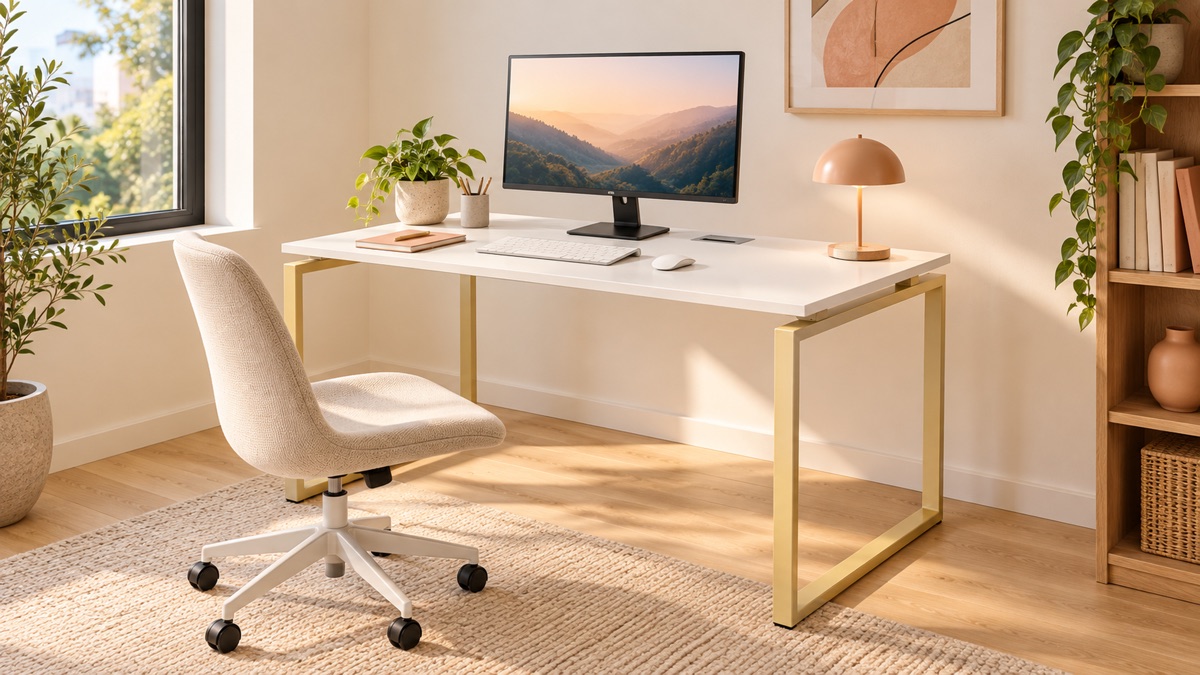
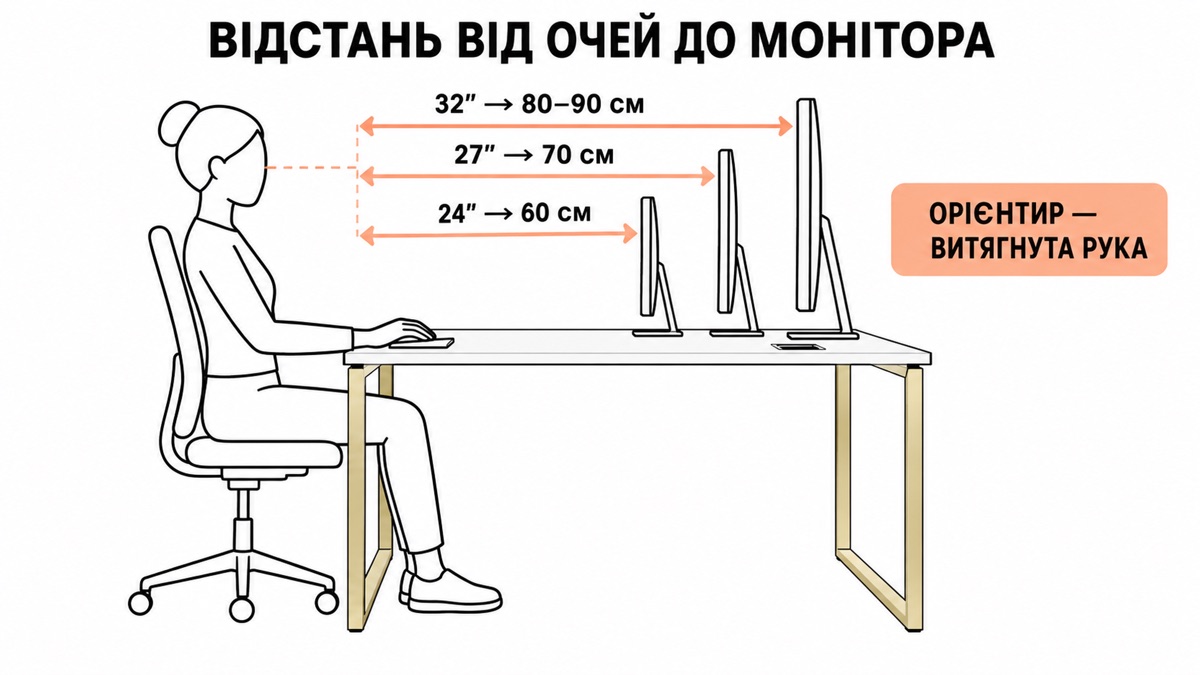
The guide is an outstretched arm. Sit up straight and stretch out your arm: your fingertips should touch the screen. For a 24-inch monitor that is about 60 cm, for 27 inches 70 cm, for 32 inches 80–90 cm.
The bigger the screen, the further away it should be. This isn't about eyesight but about the viewing angle: if a large monitor is close, you have to turn your head to take in the edges.
Now let's work out the desk depth
The distance to the screen isn't the depth of the desktop. Two things have to be subtracted from the depth:
- The monitor stand: 20–25 cm. The monitor doesn't stand right against the back edge but on its own foot, which takes up space.
- Room for the keyboard and wrists: 25–30 cm. A keyboard is about 15 cm deep, plus the area where your hands rest.
Hence some simple arithmetic:
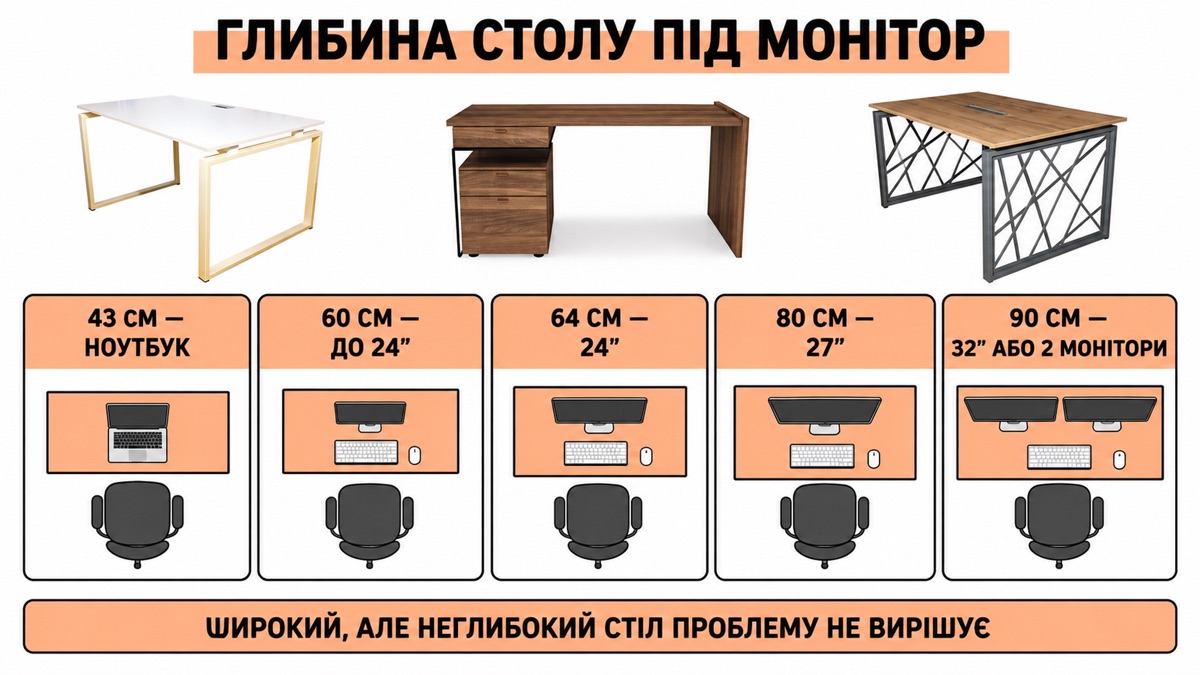
| Desk depth | Actual distance to the screen | For which monitor |
|---|---|---|
| 43 cm | ~35 cm | a laptop, not a monitor |
| 60 cm | ~55 cm | up to 24" |
| 64 cm | ~60 cm | 24" |
| 80 cm | ~75 cm | 27", or a monitor + laptop |
| 90 cm | ~85 cm | 32", or two monitors |
| 110 cm | ~100 cm | a meeting room, not a workstation |
What we have
43 cm: Nagri 2 and Nagri 3. These are deliberately narrow desks for recesses and balconies, where anything deeper simply won't fit. You can't put a monitor on them: they are desks for a laptop or for writing.
60 cm: Chill 2, MODE, VOK. The working minimum for a monitor up to 24 inches. The most common depth and the most sensible compromise for the home.
64 cm: Nagri 1.
80 cm: Chill (180 × 80). Here it is already comfortable: a 27-inch monitor, a laptop beside it, and still room for a notebook.
90 cm: CASUAL (130 × 90) and Lofty 1 (160 × 90 with a pedestal). This is the depth for two monitors or for working with papers alongside the screen.
110 cm: Lofty 3, an oval conference table. That is a different task: meetings, not screen work.
About height, while we're at it
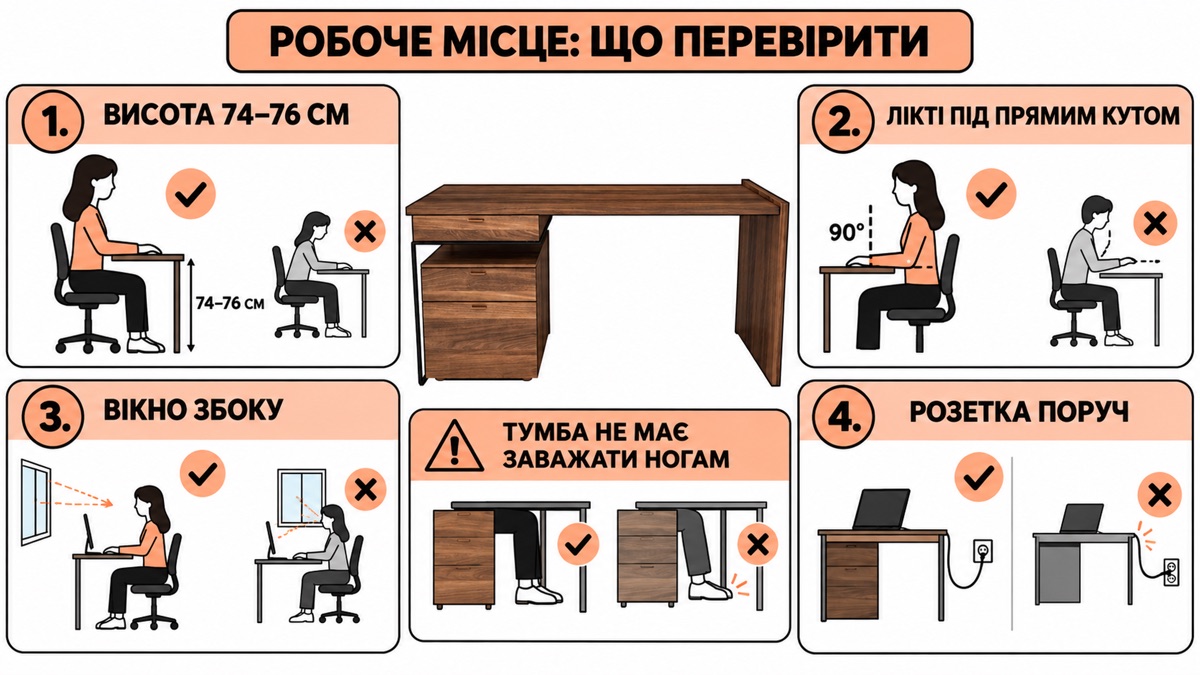
The standard for seated work is 74–76 cm. Ours are Chill 2, MODE (75), CASUAL, Lofty 1, Lofty 3 (76), Nagri 1, Nagri 3 (74).
The exception is VOK, 88 cm. This is a deliberately raised desktop: it is comfortable both for sitting on a high stool and for working standing up in short spells. If you are considering a mixed routine, this is the model.
Checking the height is simple. Sit down and put your hands on the desk: your elbows should form a right angle and your shoulders should stay down. If your shoulders rise, the desk is too high for your chair, and it is better to change the chair, not the desk.
Width: how much you really need
Depth is physics; width is habit.
- 90–120 cm: one monitor and a keyboard. The minimum that works. Ours are VOK (90) and Chill 2 (120).
- 130–150 cm: a monitor plus room to the side for a notebook, a cup, documents. The most practical range for the home: CASUAL and MODE (130), Nagri 1 (147).
- 160–180 cm: two monitors or a desk for two. Lofty 1 (160), Chill (180).
A common mistake is to take a wide but shallow desk. A width of 180 with a depth of 60 looks substantial, but the monitor will still be too close. Depth matters more.
Three things to consider in advance
A socket. A workstation means a monitor, a computer, a charger, a lamp. If the desk ends up in a corner without a socket, the extension lead will be on view every day.
The window to the side, not in front or behind. A window behind you causes glare on the screen; a window in front of you dazzles. Side light is the only option that works.
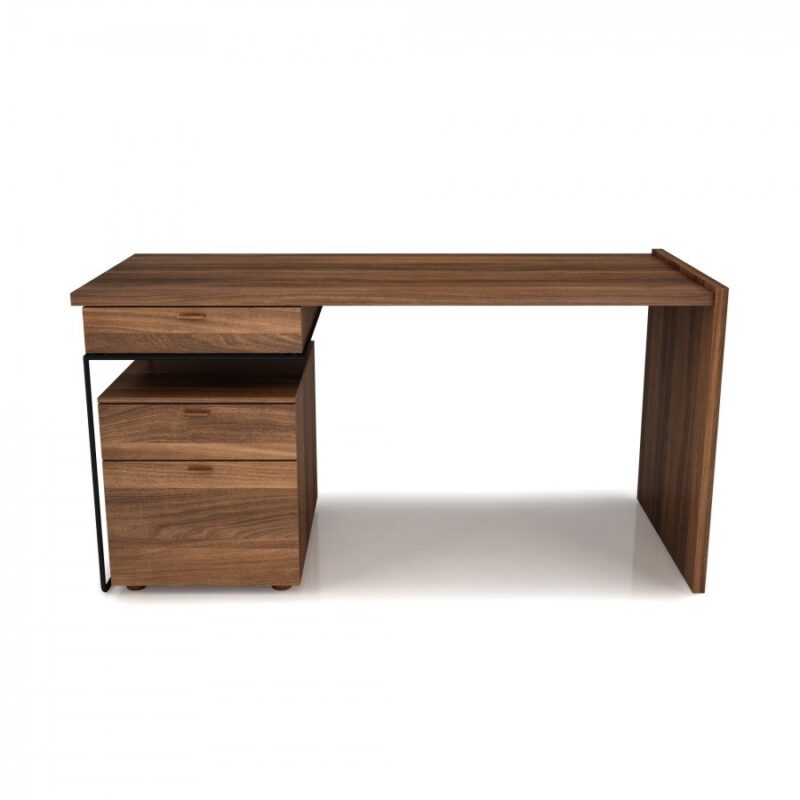
Legroom. A pedestal under the desktop eats into the space at the side. If the desk has a pedestal (MODE, Lofty 1, Nagri 1), check which side it is on and whether it will get in your way.
If the recess is non-standard
We make the depth, width and height of the desk to fit your space. This is especially useful for a workstation: in a narrow room, the difference between 60 and 70 cm of depth decides whether it will be comfortable.
And from a reference too: send the manager a photo, and our technologist will look at the construction.
Read also: a desk for working from home and a desk for a schoolchild.
In brief
- Distance to the screen: 60 cm for 24", 70 cm for 27", 80–90 for 32"
- Desk depth minus 5 cm gives you that distance
- 43 cm is for a laptop only; 60 cm is the working minimum; 80–90 is comfortable
- A height of 74–76 cm is standard; VOK at 88 cm is for mixed working
- A wide but shallow desk doesn't solve the problem
MeBelle desks are made to your desktop size.
Desks →